
Patent card and its elements
After creating a search landscape, you will be presented with a list of patent families ranked from most similar to least similar to your query. Each retrieved patent family will be displayed on a "Patent card".
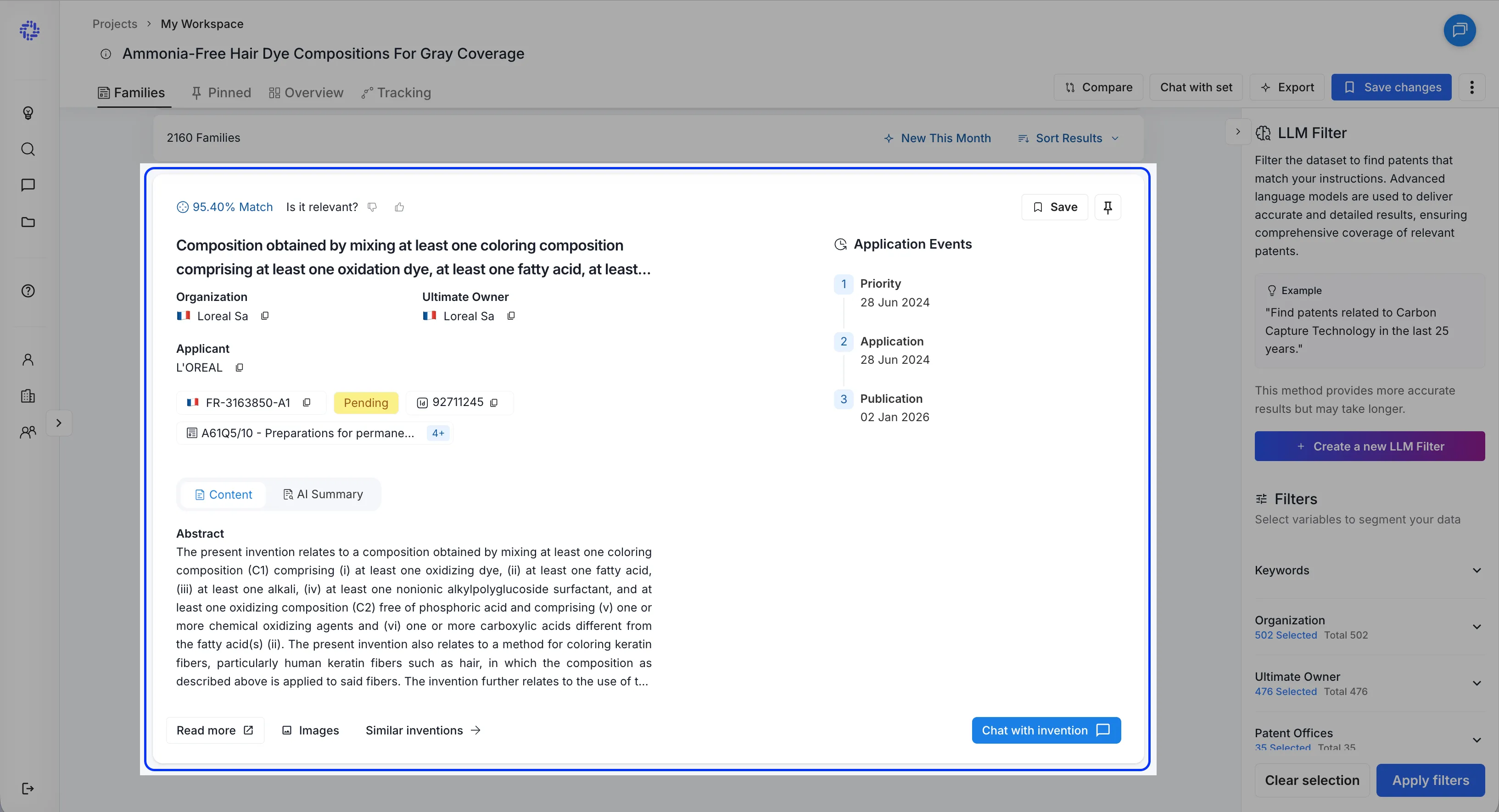
Patent cards hold summarized information about the patent family. For each patent family, we pick a representative family member. The representative patent is picked from the family based on which family member has the most complete information.
Elements of the Patent card
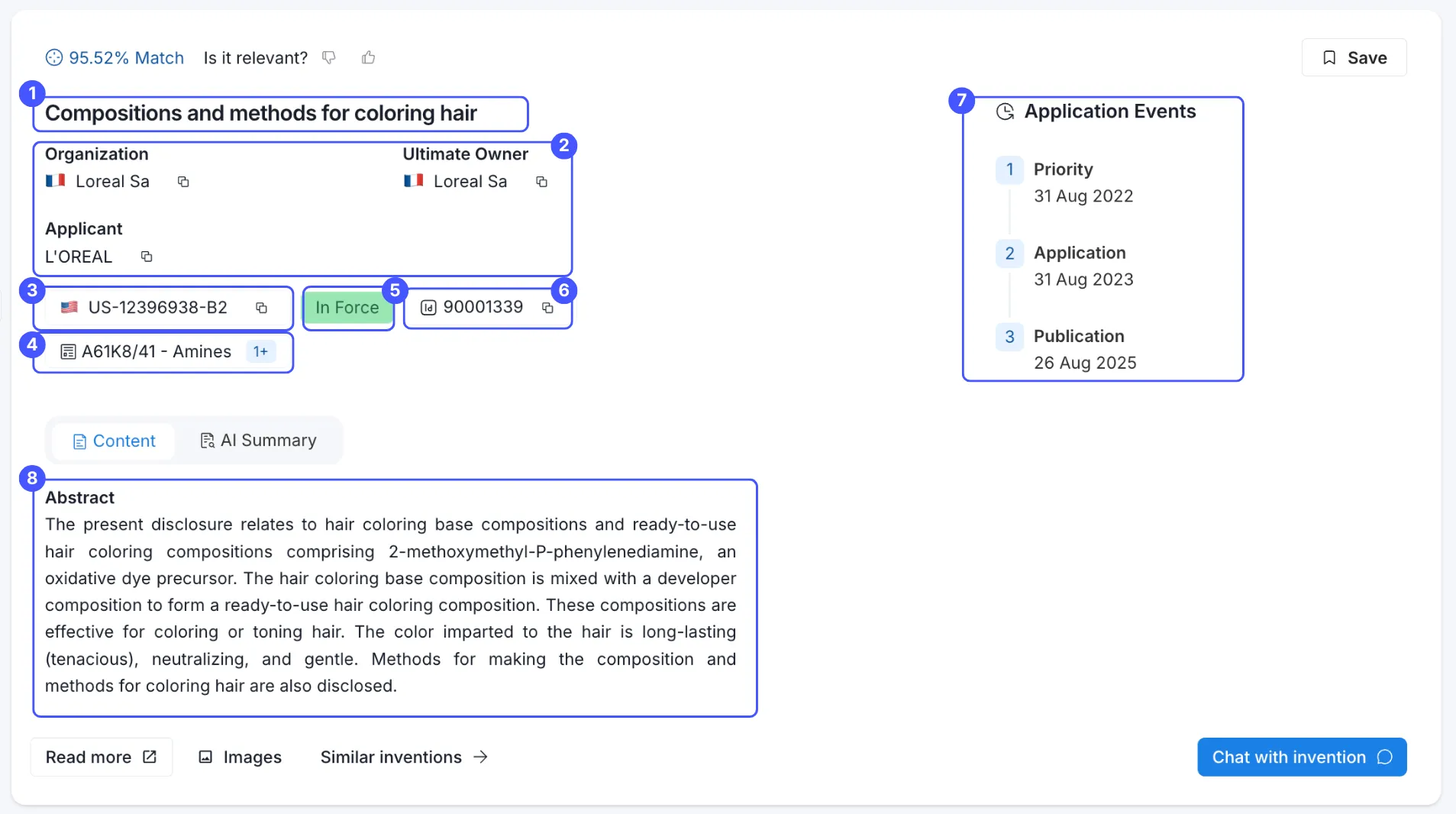
On the patent card you will find the following standard bibliographic elements:
(1) - Title of the representative patent
(2) - Organization, Ultimate Owner, and Applicant:
- Organization is the current owner of the patent;
- Ultimate owner is the top-level parent company that ultimately controls the current organization where as applicants represents entity that initially applied for the patent filing.
If the owner of the patent family is unclear, the owner will be displayed as "unknown". The flag icon next to the name shows the country of origin.
(3) - Publication number
(4) - Classification code
- Patent offices worldwide use classification codes to indicate the technology field an invention belongs to. At GetFocus, we use IPCR codes.
(5) - Patent Status
- In-force: at least 1 family member has been granted and is currently in force.
- Pending: all patent family members are currently still pending approval with the patent office(s) in question.
- Inactive: All patent family members are no longer in force or pending and have lapsed.
- Unknown: Sometimes patent offices do not report patent statuses, in these cases, we will display the status as unknown.
(6) - Family ID
- Family ID is a GetFocus internal identification number for the entire patent family.
(7) - Priority, Application, and Publication dates
- The priority date is when the invention was first filed with the patent office;
- The application date is when the patent office receives the complete patent application;
- The publication date is when the invention is first published.
(8) - Abstract of the invention
Alongside standard patent metadata, the patent card also includes these add-on features:
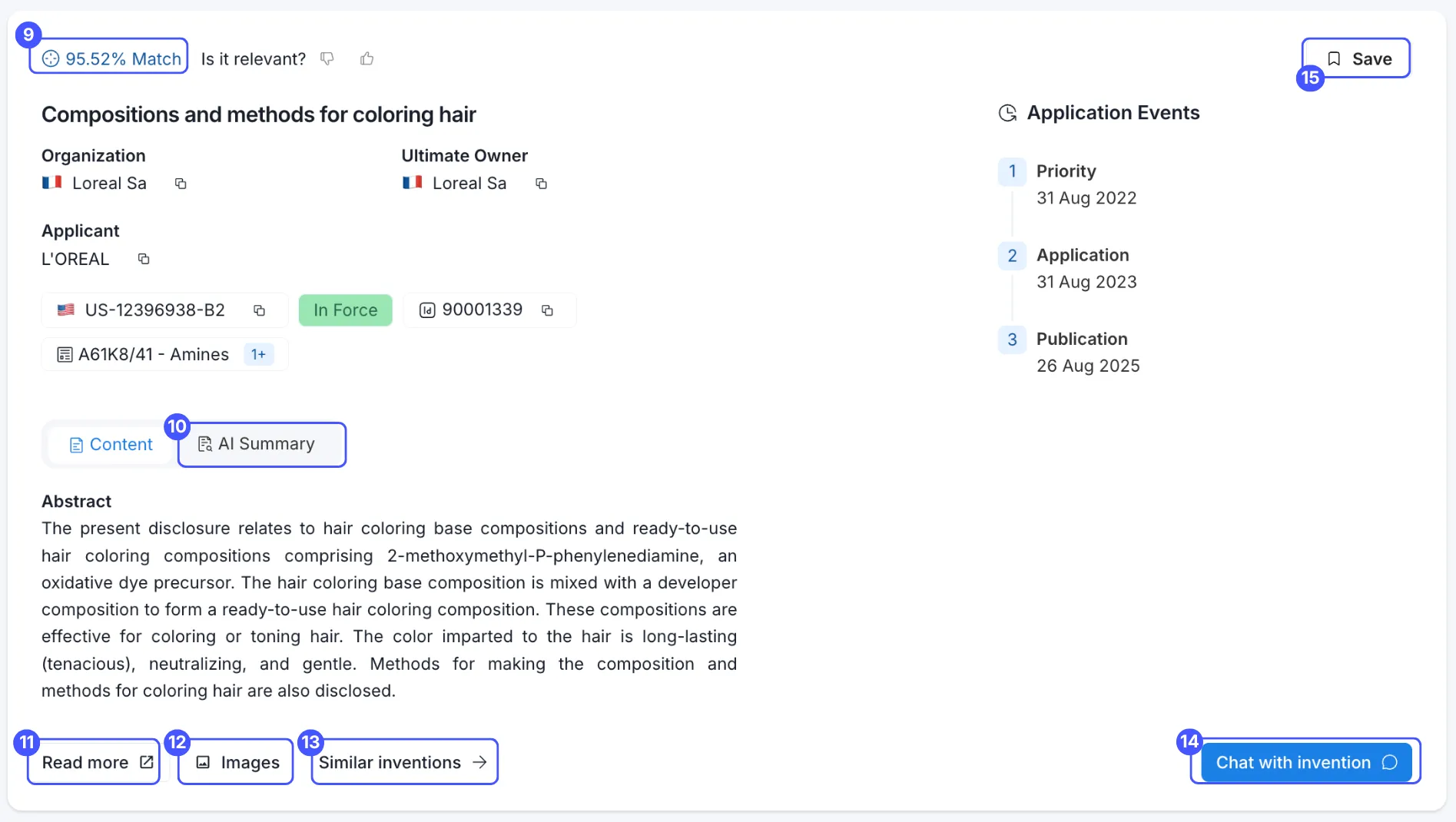
(9) - Similarity score
- This score reflects how closely the patent family's contents match your search query. A 100% similarity would only ever be achieved if the entire content of the patent family exactly matches your search query, which is virtually never.
(10) - AI Summary
- Click AI Summary to generate an LLM summary of the patent. Odin analyzes the invention’s title, abstract, and claims and produces a standardized summary that’s easier to scan than the original patent text. The summary includes:
- a clear, rewritten title and rewritten abstract (patent language is often broad or ambiguous)
- a bullet list of the key technologies used
- the invention’s main advantages
- application areas
(11) - Read more
- Click this button to display the entire patent family's content, including its full description.
(12) - Images
- The Images button shows any attachments included in this patent family. When you use Chat with Invention, it can read and cite visual content alongside the text.
(13) - Similar Inventions
- Similar inventions shows other patent families that are most similar to the one you’re viewing.
(14) - Chat with Invention
- Don’t want to read the full patent? Chat with it instead. With Chat with Invention, AI reviews the patent’s title, abstract, claims, and full description, then answers your questions based on the patent content. You can ask things like how the invention works, which materials or components are used, how it could apply to your industry, which examples, parameters, or measurements are disclosed.
For more complex questions, switch to Reasoning. Odin will take more time to think and return a more detailed answer. This is especially helpful when you’re working through dense or technical patents.
(15) - Save
- Save important patents as soon as you spot them. To access saved patents, go to your workspace, open the dataset, and select Show insights.
(16) - Pin
- Pinning lets you mark individual patents (families or members) directly from the Families tab, creating a lightweight subset for further analysis — without modifying the original dataset.
💡 Pinned patents are collected in a dedicated Pinned tab, so you can quickly toggle between your full dataset and your selection. They are unaffected by filters and auto-saved inside the dataset. You can Chat with, export, or unpin them at any time.
When you click Read more, GetFocus opens the detailed patent view. You’ll also see (17) - the patent numbers of all Family Members. This overview includes known filings for the same invention across different patent offices worldwide.
- GetFocus uses the simple patent family definition: patents that belong to the same invention but were filed in different countries.
- To open a family member, click its patent number.
- To view it externally, click the Google icon (18) to open it in Google Patents.
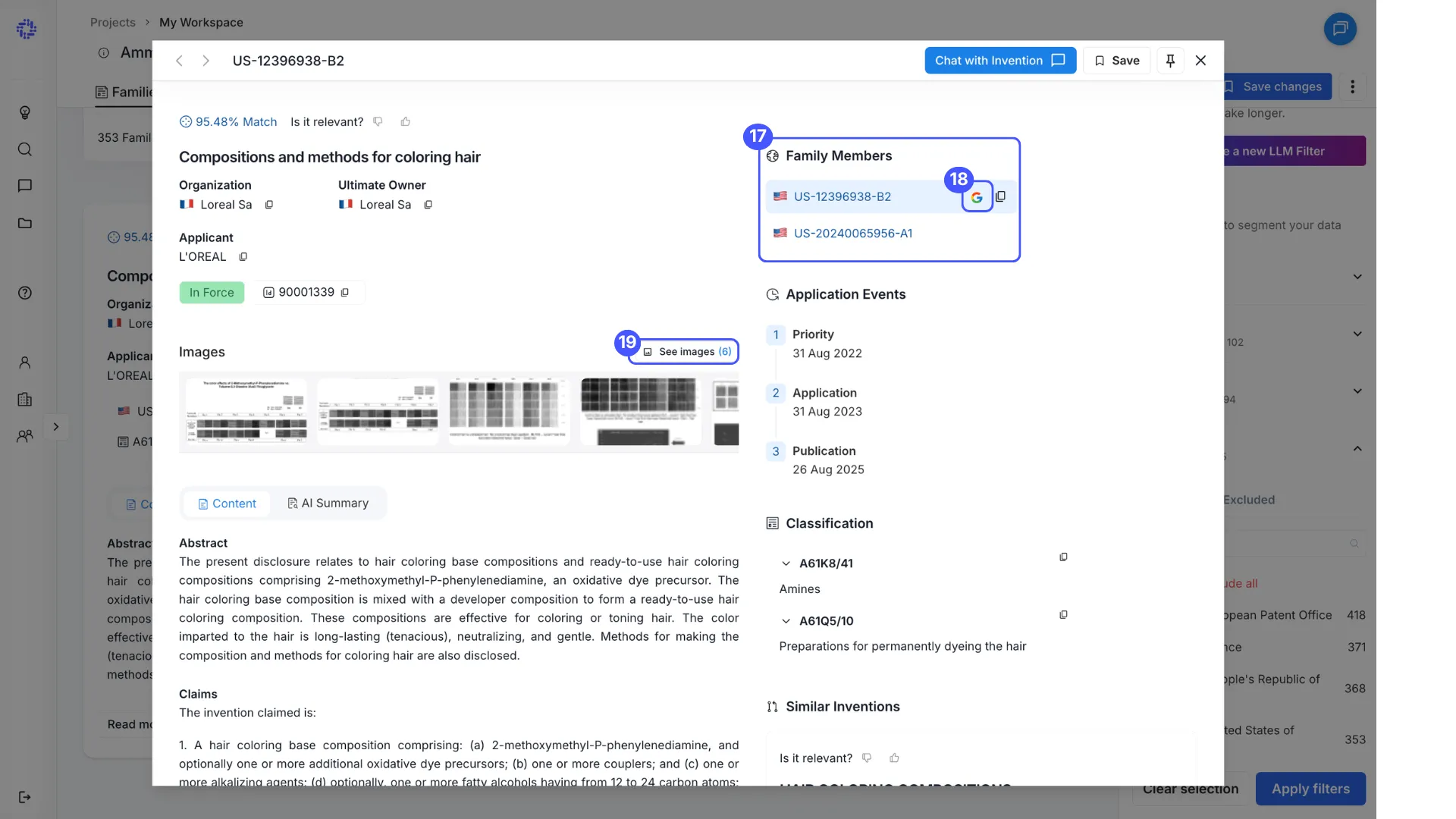
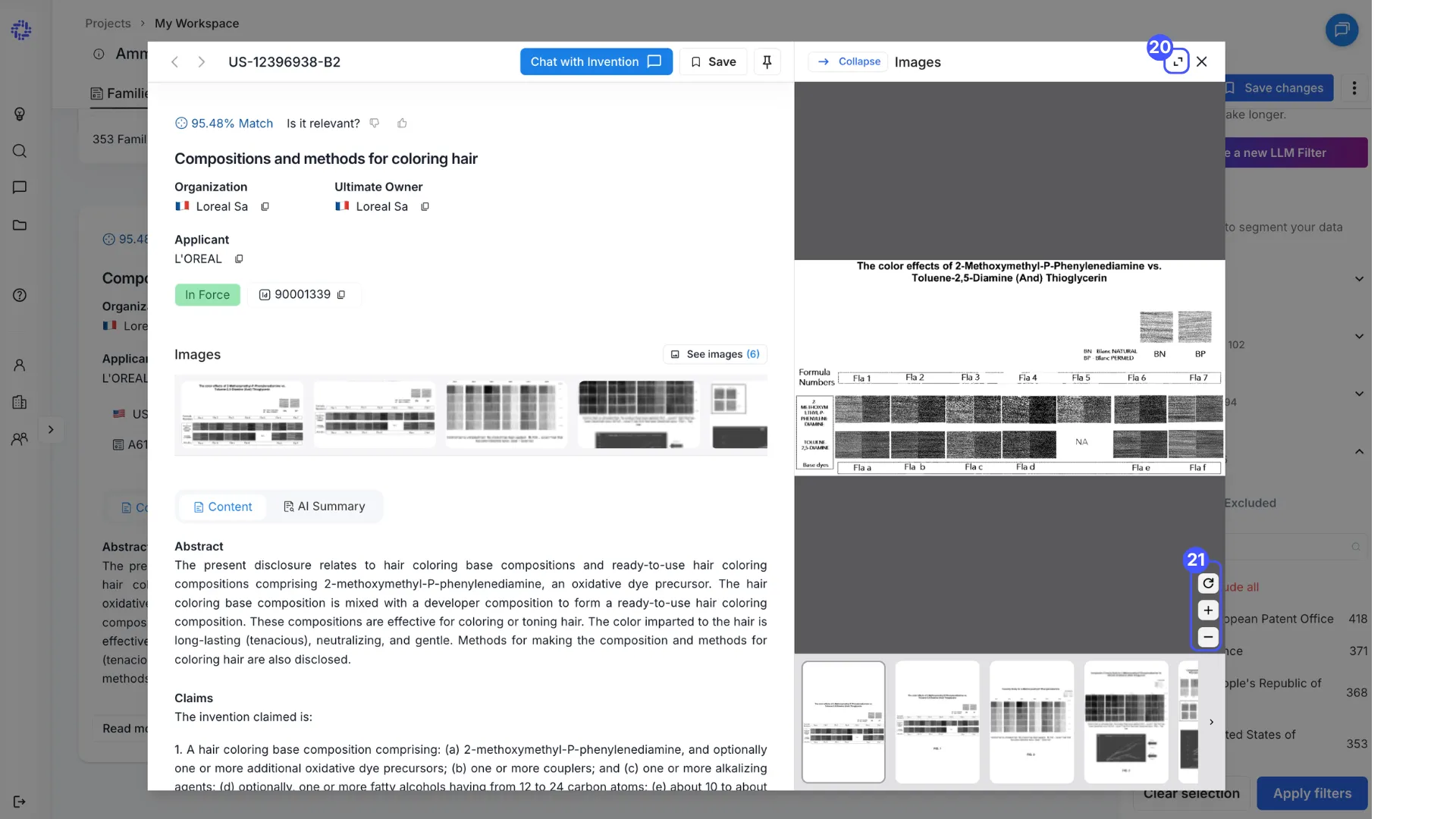
You can also click See images (19) to open a larger view. From there, select Full screen (20), and use the zoom controls (21) to zoom in or out.
For examples, prompting tricks, and when to use each chat mode, read Chatting with Sets and Inventions.